All the Communication Features Your Growing Business Needs

Explore customizable communication features designed to streamline and elevate your business’ customer experience.
Schedule Demo

FluentStream Features

We have all the features small businesses need to communicate remotely and better connect with their customers.


FluentStream Features

We have all the features small businesses need to communicate remotely and better connect with their customers.
Learn More

Cloud Communications Features


Yellow star icon for key business communication feature

Communications Platform

FluentStream's cloud communications platform gives your business a full-featured phone system without the hardware — hosted in the cloud, accessible from anywhere, and built to scale with your team.
  • Local Numbers FluentStream can port over your current local numbers or easily add new ones to your account.
  • Toll Free NumbersA toll-free number gives your business instant credibility and provides clients with an easy, memorable way to reach you.
  • International CallingMake and receive calls from around the globe with a low per-minute rate.
  • Dial-by-Name DirectoryMore often than not, inbound callers know the name of the person they are trying to reach but not their direct line. With Dial-by-Name, clients can contact their desired employee without needing an extension.
  • Voicemail & Visual VoicemailTired of dialing into your voicemail? Visual Voicemail lets you scan and find important messages quickly.
  • ClickToCall+Chrome extension that integrates with your FluentStream number so you can increase call volume and optimize efficiency.
  • Local Numbers FluentStream can port over your current local numbers or easily add new ones to your account.
  • Toll Free NumbersA toll-free number gives your business instant credibility and provides clients with an easy, memorable way to reach you.
  • International CallingMake and receive calls from around the globe with a low per-minute rate.
  • Dial-by-Name DirectoryMore often than not, inbound callers know the name of the person they are trying to reach but not their direct line. With Dial-by-Name, clients can contact their desired employee without needing an extension.
  • Voicemail & Visual VoicemailTired of dialing into your voicemail? Visual Voicemail lets you scan and find important messages quickly.
  • ClickToCall+Chrome extension that integrates with your FluentStream number so you can increase call volume and optimize efficiency.
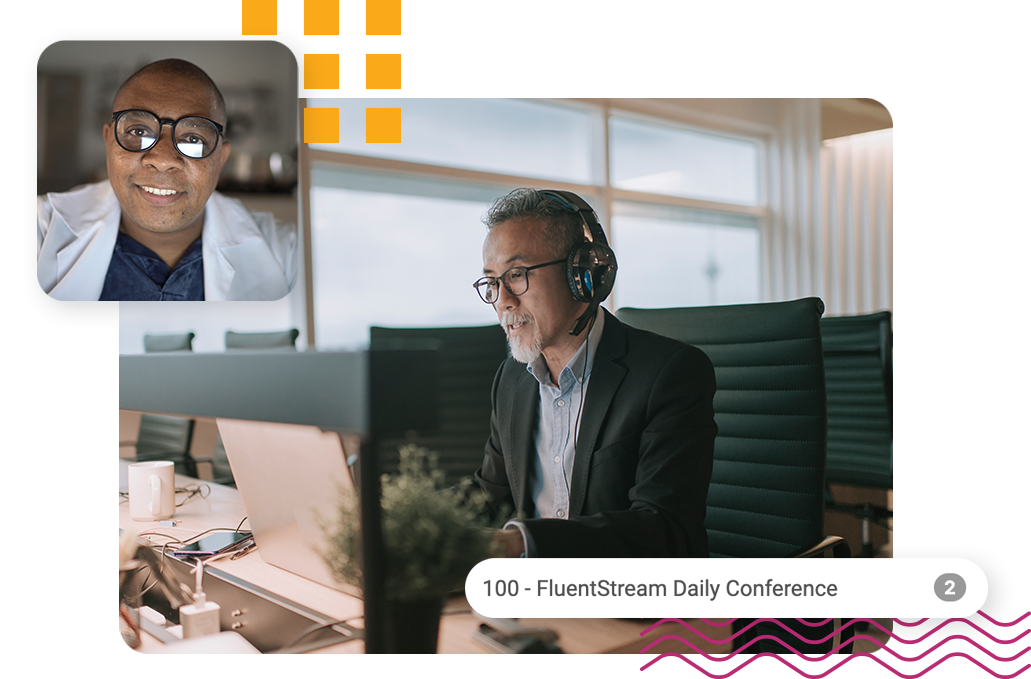
Two people in different offices having a meeting using FluentStream's business  communication features.
Yellow star icon for key business communication feature

Call Management & Routing

Make sure every call reaches the right person, every time. FluentStream's call management and routing features give you intelligent control over how calls flow through your organization from first ring to final resolution.
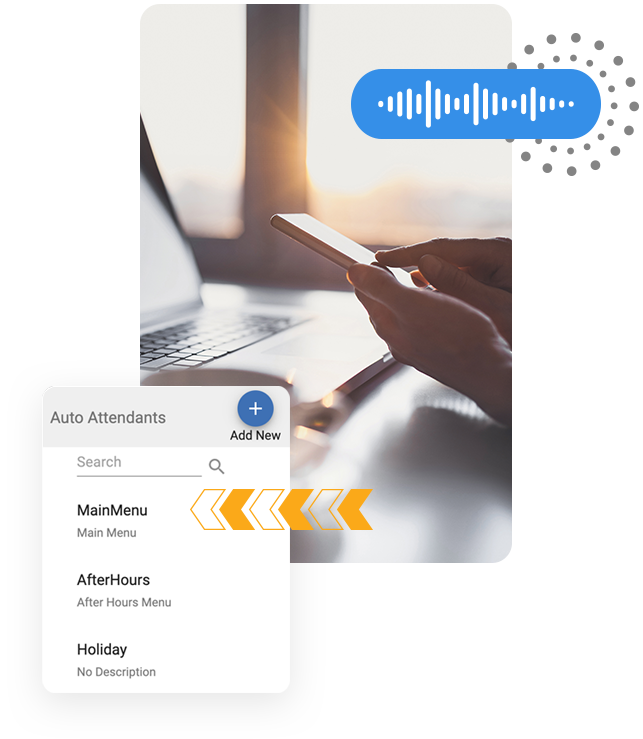
  • Auto-Attendants with Voice RecognitionA customized company greeting and menu that directs callers to the appropriate departments or extensions.
  • Intelligent Call RoutingIntelligent Call Routing uses area codes and zip codes to send callers to the right team, office, or region.
  • Call QueuesAllows you to keep callers on the line while they wait for the next available agent. Configurable with different music and alternate routing options.
  • Dynamic Caller IDAbility for extensions to change their outbound caller ID on a per call basis.
  • Call ForwardingNeed to manage call forwarding settings on the go? Our mobile app makes it easy to enable, modify and turn off call forwarding to ensure you never miss a call.
  • Returned Call RoutingAutomatically route returned calls to the correct agent.
  • Voicemail DropSend pre-recorded voicemails to prospects and clients with a single button. Additionally, your sales reps can set a countdown timer and perfect the cadence of their personalized introduction to each voicemail.
  • Feature CodesEnable or disable features directly from your phone.
  • Time ConditionsUse the FluentCloud Web Portal to simulate and test Time Conditions you set on your system.
  • Holiday SchedulingSet custom Time Conditions for specific holidays throughout the year so you can leave the office without worrying whether calls will be routed correctly or not.
  • Auto-Attendants with Voice RecognitionA customized company greeting and menu that directs callers to the appropriate departments or extensions.
  • Intelligent Call RoutingIntelligent Call Routing uses area codes and zip codes to send callers to the right team, office, or region.
  • Call QueuesAllows you to keep callers on the line while they wait for the next available agent. Configurable with different music and alternate routing options.
  • Dynamic Caller IDAbility for extensions to change their outbound caller ID on a per call basis.
  • Call ForwardingNeed to manage call forwarding settings on the go? Our mobile app makes it easy to enable, modify and turn off call forwarding to ensure you never miss a call.
  • Returned Call RoutingAutomatically route returned calls to the correct agent.
  • Voicemail DropSend pre-recorded voicemails to prospects and clients with a single button. Additionally, your sales reps can set a countdown timer and perfect the cadence of their personalized introduction to each voicemail.
  • Feature CodesEnable or disable features directly from your phone.
  • Time ConditionsUse the FluentCloud Web Portal to simulate and test Time Conditions you set on your system.
  • Holiday SchedulingSet custom Time Conditions for specific holidays throughout the year so you can leave the office without worrying whether calls will be routed correctly or not.
Collage of images for voice and auto attendants cloud communication features over top someone holding a phone at their desk

Stay Connected Everywhere


Yellow star icon for key business communication feature

Mobile Apps

Stay connected and in control from anywhere with the FluentStream mobile app. Available on iOS and Android for users, and iOS for administrators, our app brings your full business phone system to your pocket.
  • iOS & Android User App
  • iOS Admin App
  • Business Texting (SMS)Send and receive texts using your business phone number to stay connected with colleagues and customers on their preferred channel.
  • Contact SyncingNo more saving business contacts to your cell phone. Sync contacts from the web portal to your mobile app and share contacts instantly.
  • Call ForwardingNeed to manage call forwarding settings on the go? Our mobile app makes it easy to enable, modify and turn off call forwarding to ensure you never miss a call.
  • Custom NotificationsGet notified about important messages or events in your phone system, even when you’re out of the apps.
  • Visual VoicemailTired of dialing into your voicemail? Visual Voicemail lets you scan and find important messages quickly.
  • iOS & Android User App
  • iOS Admin App
  • Business Texting (SMS)Send and receive texts using your business phone number to stay connected with colleagues and customers on their preferred channel.
  • Contact SyncingNo more saving business contacts to your cell phone. Sync contacts from the web portal to your mobile app and share contacts instantly.
  • Call ForwardingNeed to manage call forwarding settings on the go? Our mobile app makes it easy to enable, modify and turn off call forwarding to ensure you never miss a call.
  • Custom NotificationsGet notified about important messages or events in your phone system, even when you’re out of the apps.
  • Visual VoicemailTired of dialing into your voicemail? Visual Voicemail lets you scan and find important messages quickly.
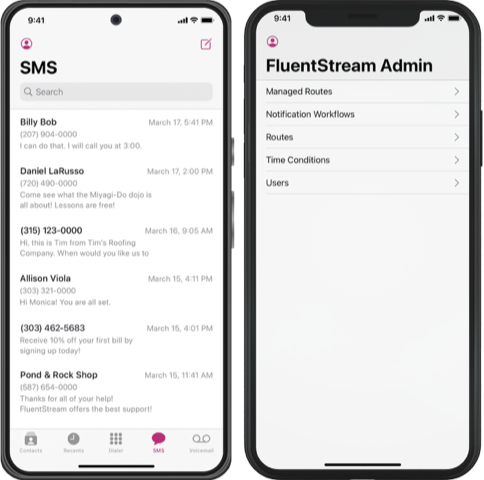
Two mobile phones showing mobile apps for an SMS screen and a FluentStream Admin screen. FluentStream's cloud communication features let you stay connected everywhere.
Yellow star icon for key business communication feature

Web Phone

Turn any browser into a fully functional business phone. FluentStream's Web Phone lets your team make and receive calls directly from their computer — no desk phone, no downloads, no hassle.
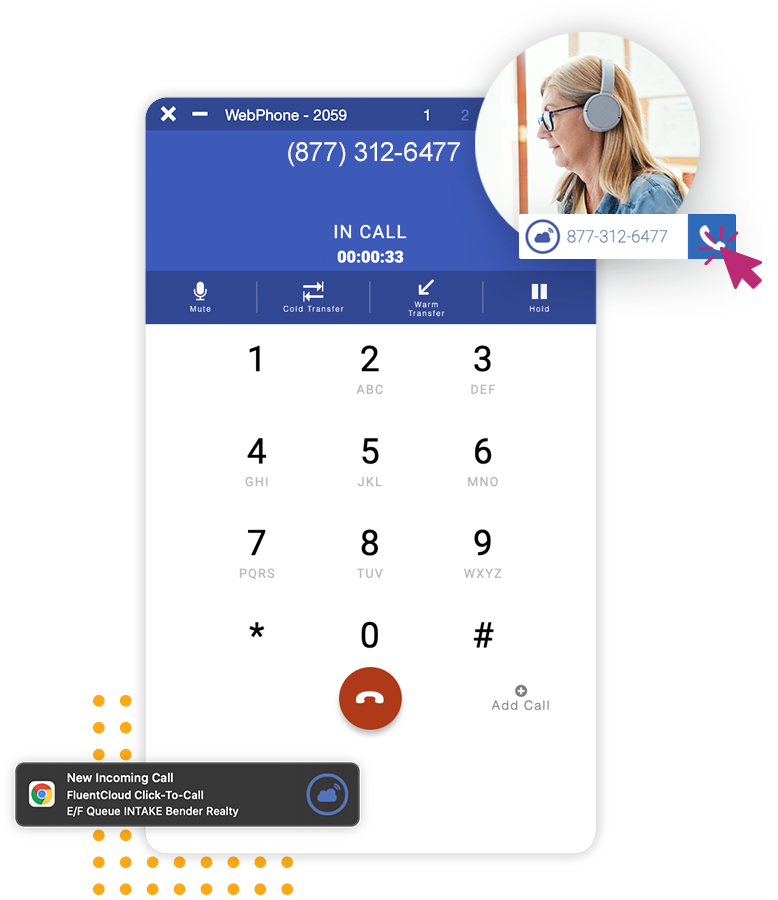
  • Browser-based Calling (No Download Required)
  • Softphone SupportMake and receive business calls from a third-party software program on your mobile phone or computer.
  • ClickToCall+Chrome extension that integrates with your FluentStream number so you can increase call volume and optimize efficiency.
  • Full Phone System Access From Any Device
  • Works With Your Existing Business Number

  • Browser-based Calling (No Download Required)
  • Softphone SupportMake and receive business calls from a third-party software program on your mobile phone or computer.
  • ClickToCall+Chrome extension that integrates with your FluentStream number so you can increase call volume and optimize efficiency.
  • Full Phone System Access From Any Device
  • Works With Your Existing Business Number
A collage of images for FluentStream's WebPhone, a business communication feature

Customer Engagement


Yellow star icon for key business communication feature

Business Texting (SMS)

Send and receive texts using your business phone number to stay connected with colleagues and customers on their preferred channel.
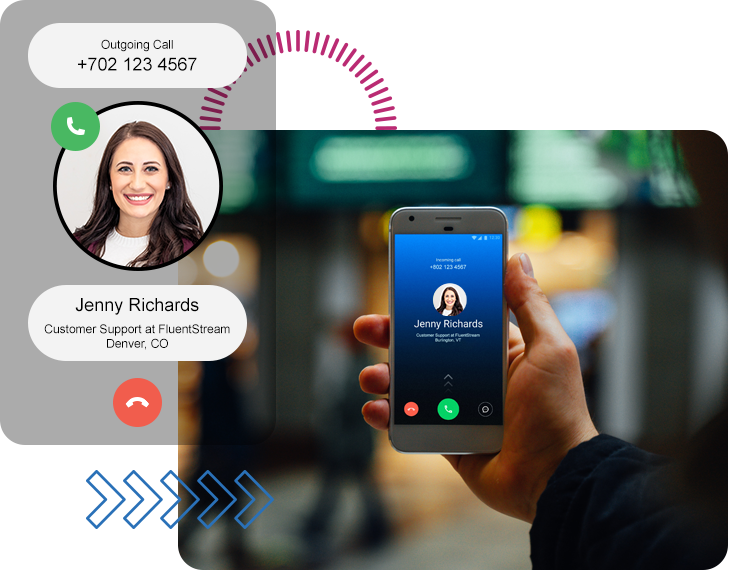
  • Send & Receive SMS From Your Business Number
  • Two-Way Business Texting
  • Campaign-Style Texting: Bulk, Drip, Scheduled
  • Contact SyncingNo more saving business contacts to your cell phone. Sync contacts from the web portal to your mobile app and share contacts instantly.
  • Group Messaging
  • Send & Receive SMS From Your Business Number
  • Two-Way Business Texting
  • Campaign-Style Texting: Bulk, Drip, Scheduled
  • Contact SyncingNo more saving business contacts to your cell phone. Sync contacts from the web portal to your mobile app and share contacts instantly.
  • Group Messaging
Person holding a phone while talking with Jenny Richards from Customer Support at FluentStream
Yellow star icon for key business communication feature

Video Conferencing

FluentStream Video brings your team together, no matter where they are. Host secure, high-quality video meetings with clients, colleagues, or classrooms. From one-on-one check-ins to company-wide webinars, it’s built to scale with your business.

  • HD Video and AudioHD video and crystal-clear audio on any device.
  • Collaboration ToolsBuilt-in screen sharing, whiteboarding, polling, and live chat.
  • AI-PoweredAI-generated meeting summaries and action items.
  • Host WebinarsHost webinars or internal trainings with ease.
  • Calendar Integration Seamlessly integrated with your Google and Outlook calendars.
  • HD Video and AudioHD video and crystal-clear audio on any device.
  • Collaboration ToolsBuilt-in screen sharing, whiteboarding, polling, and live chat.
  • AI-PoweredAI-generated meeting summaries and action items.
  • Host WebinarsHost webinars or internal trainings with ease.
  • Calendar Integration Seamlessly integrated with your Google and Outlook calendars.
FluentStream Video Conferencing circle logo, one of many FluentStream cloud communication features for businesses
Yellow star icon for key business communication feature

Electronic Fax (eFax)

Send and receive faxes digitally. Eliminate the fax machine. FluentStream eFax lets your team send and receive faxes digitally, from any device, tied to your existing phone numbers.

  • Send & Receive Faxes From Any Device
  • Tied to Your Business Phone Number
  • Accessible via Mobile App
  • Secure and Compliant Delivery
  • No Hardware Required

  • Send & Receive Faxes From Any Device
  • Tied to Your Business Phone Number
  • Accessible via Mobile App
  • Secure and Compliant Delivery
  • No Hardware Required
A doctor in her office on a laptop using business communication features for her practice

Contact Center & Reporting


Yellow star icon for key business communication feature

Call Center

FluentStream's call center communication features are designed to help your team handle high call volumes, reduce wait times, and deliver a better customer experience.

  • Call QueuesAllows you to keep callers on the line while they wait for the next available agent. Configurable with different music and alternate routing options.
  • Intelligent Call RoutingIntelligent Call Routing uses area codes and zip codes to send callers to the right team, office, or region.
  • Queue Statistics & ReportingQuickly view and analyze the stats for each queue so you can make appropriate staffing and standards changes.
  • Voicemail DropSend pre-recorded voicemails to prospects and clients with a single button. Additionally, your sales reps can set a countdown timer and perfect the cadence of their personalized introduction to each voicemail.
  • Dynamic Caller IDAbility for extensions to change their outbound caller ID on a per call basis.
  • ClickToCall+Chrome extension that integrates with your FluentStream number so you can increase call volume and optimize efficiency.
  • Returned Call RoutingAutomatically route returned calls to the correct agent.
  • Salesforce IntegrationIntegrating FluentStream with SalesForce gives your team the power to contact leads faster and simplify their workflows.
  • Call QueuesAllows you to keep callers on the line while they wait for the next available agent. Configurable with different music and alternate routing options.
  • Intelligent Call RoutingIntelligent Call Routing uses area codes and zip codes to send callers to the right team, office, or region.
  • Queue Statistics & ReportingQuickly view and analyze the stats for each queue so you can make appropriate staffing and standards changes.
  • Voicemail DropSend pre-recorded voicemails to prospects and clients with a single button. Additionally, your sales reps can set a countdown timer and perfect the cadence of their personalized introduction to each voicemail.
  • Dynamic Caller IDAbility for extensions to change their outbound caller ID on a per call basis.
  • ClickToCall+Chrome extension that integrates with your FluentStream number so you can increase call volume and optimize efficiency.
  • Returned Call RoutingAutomatically route returned calls to the correct agent.
  • Salesforce IntegrationIntegrating FluentStream with SalesForce gives your team the power to contact leads faster and simplify their workflows.
Woman using various call center communication features while she is talking with someone on her laptop
Yellow star icon for key business communication feature

FluentAnalytics

Turn call data into smarter decisions by tracking performance. Make smarter decisions with real-time dashboards, scheduled reports, and detailed insights into every call and queue interaction. Real-time reporting and historical analytics purpose-built for cloud communication teams.
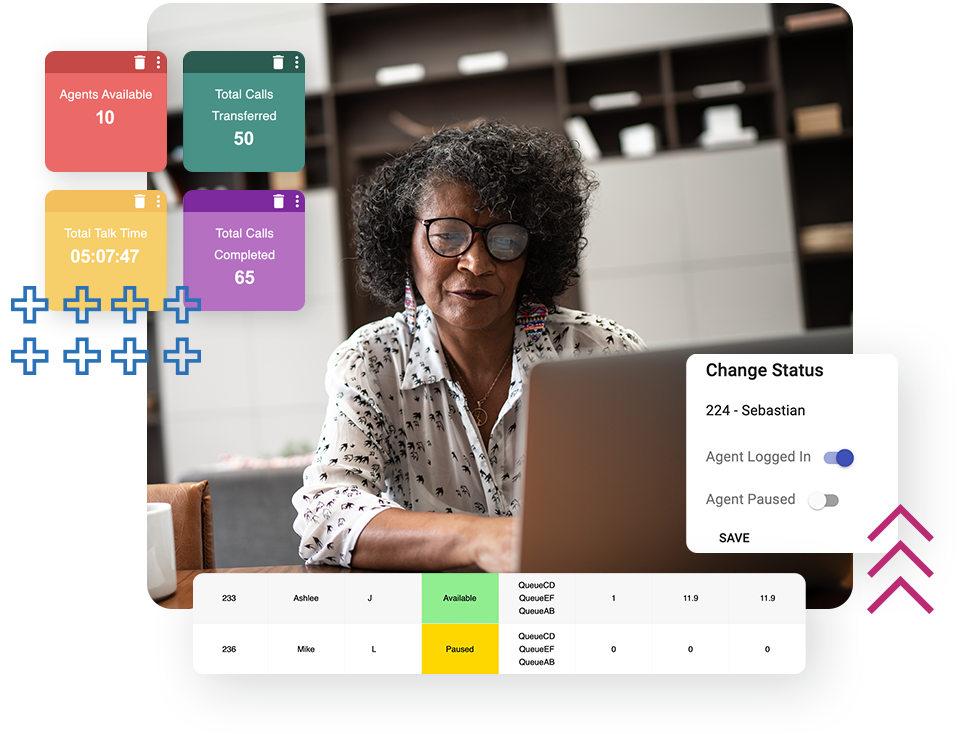
  • Insights Live ReportingDetailed report on your web portal to get information such as interaction history, response times, and individual stats.
  • Call Queue StatisticsQuickly view and analyze the stats for each queue so you can make appropriate staffing and standards changes.
  • Dashboard ReportingConvenient dashboards to help you collect and organize the data needed to run your business more efficiently.
  • Interaction Detail ReportAccess a detailed interaction history on your web portal so you can monitor the call, chat, and ticket histories for every client from one dashboard.
  • Scheduled ReportsAllows administrators to build a daily, weekly, or monthly report on specific account extensions.

  • Insights Live ReportingDetailed report on your web portal to get information such as interaction history, response times, and individual stats.
  • Call Queue StatisticsQuickly view and analyze the stats for each queue so you can make appropriate staffing and standards changes.
  • Dashboard ReportingConvenient dashboards to help you collect and organize the data needed to run your business more efficiently.
  • Interaction Detail ReportAccess a detailed interaction history on your web portal so you can monitor the call, chat, and ticket histories for every client from one dashboard.
  • Scheduled ReportsAllows administrators to build a daily, weekly, or monthly report on specific account extensions.
Woman working on her computer at her desk with screenshots of various FluentAnalytics, a business communication feature, screens

AI & Automation


Yellow star icon for key business communication feature

FluentAI

Turn every conversation into an opportunity. FluentAI brings intelligence to your communication features — from automated transcriptions to sentiment analysis and smart routing.

  • Call Recording & Transcription
  • Visual VoicemailTired of dialing into your voicemail? Visual Voicemail lets you scan and find important messages quickly.
  • Sentiment Analysis
  • Topics & Keywords Detection
  • AI-Powered Video Meetings
  • Voicemail DropSend pre-recorded voicemails to prospects and clients with a single button. Additionally, your sales reps can set a countdown timer and perfect the cadence of their personalized introduction to each voicemail.
  • Single Sign On (SSO)Simplify login for your team with secure, centralized access through Google or Microsoft SSO.
  • Call Recording & Transcription
  • Visual VoicemailTired of dialing into your voicemail? Visual Voicemail lets you scan and find important messages quickly.
  • Sentiment Analysis
  • Topics & Keywords Detection
  • AI-Powered Video Meetings
  • Voicemail DropSend pre-recorded voicemails to prospects and clients with a single button. Additionally, your sales reps can set a countdown timer and perfect the cadence of their personalized introduction to each voicemail.
  • Single Sign On (SSO)Simplify login for your team with secure, centralized access through Google or Microsoft SSO.
Man using a cloud communication feature while he leaves a message using his phone
Yellow star icon for key business communication feature

AirDial

AirDial replaces traditional POTS (Plain Old Telephone Service) lines with a reliable cellular-based solution. No rewiring, no disruption, no costly hardware upgrades.

  • Drop-In POTS Line Replacement
  • Cellular-Based Reliability
  • Works With Existing Devices
  • No New Wiring Required
  • Ideal for Elevators, Alarms, and Fax Lines

  • Drop-In POTS Line Replacement
  • Cellular-Based Reliability
  • Works With Existing Devices
  • No New Wiring Required
  • Ideal for Elevators, Alarms, and Fax Lines
Fire alarm panel, a building critical system that is suppored by AirDial, a POTS line replacement solution

Integrations


Yellow star icon for key business communication feature

CRM Integrations

Connect your phone system to the tools you already use. FluentStream integrates with 99+ CRM platforms so your communication features and customer data work together seamlessly. Log calls automatically, surface customer info on inbound calls, and keep your pipeline moving.

  • 99+ CRM IntegrationsIntegrating FluentStream with Salesforce, HubSpot, Zoho, and 99+ CRM options gives your team the power to contact leads faster and simplify their workflows.
  • Salesforce Integration (Calls, SMS, Routing)Integrating FluentStream with SalesForce gives your team the power to contact leads faster and simplify their workflows.
  • Auto Call Logging
  • Screen Pops on Inbound Calls
  • Click-to-Dial From CRM
  • Contact SyncingNo more saving business contacts to your cell phone. Sync contacts from the web portal to your mobile app and share contacts instantly.
  • 99+ CRM IntegrationsIntegrating FluentStream with Salesforce, HubSpot, Zoho, and 99+ CRM options gives your team the power to contact leads faster and simplify their workflows.
  • Salesforce Integration (Calls, SMS, Routing)Integrating FluentStream with SalesForce gives your team the power to contact leads faster and simplify their workflows.
  • Auto Call Logging
  • Screen Pops on Inbound Calls
  • Click-to-Dial From CRM
  • Contact SyncingNo more saving business contacts to your cell phone. Sync contacts from the web portal to your mobile app and share contacts instantly.
Collage of colorful reports over top someone typing into their laptop at their desk
Yellow star icon for key business communication feature

Microsoft Teams Integration

Bring FluentStream's enterprise communication features directly into Microsoft Teams. Make and receive calls, manage your phone system, and stay compliant — all without leaving Teams.
  • Calls Inside Microsoft Teams
  • Direct Routing Support
  • Voicemail in Teams
  • Call Recording & Transcription
  • Admin Management From Teams
  • SSO Support
  • Calls Inside Microsoft Teams
  • Direct Routing Support
  • Voicemail in Teams
  • Call Recording & Transcription
  • Admin Management From Teams
  • SSO Support
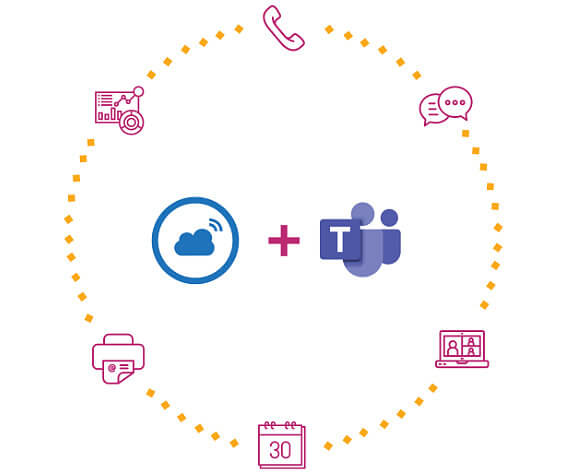
Circle of feature icons around Fluentstream logo and Microsoft Teams logo

System Administration


Yellow star icon for key business communication feature

Phone System Management

Our live phone system management tool and Admin mobile app empower administrators with intuitive control from anywhere.
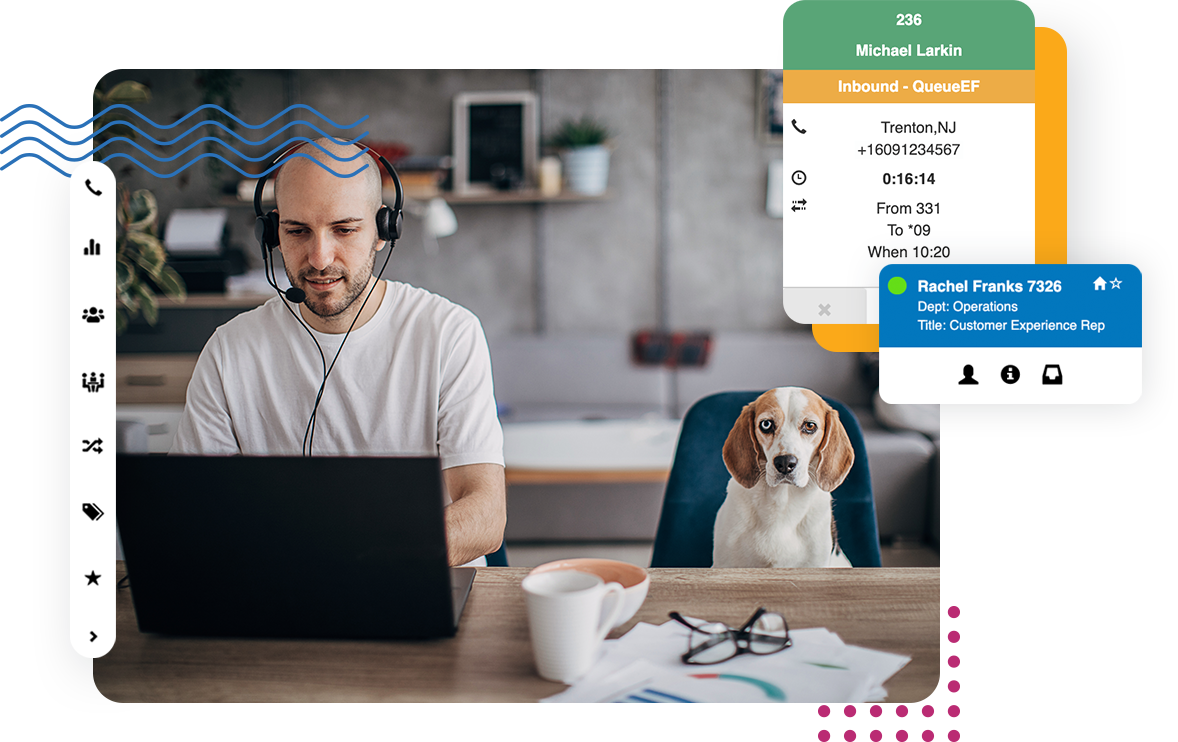
  • Administrative Web PortalThe FluentCloud Web Portal allows administrators to make changes and manage their phone system without needing to wait for their IT team.
  • Admin AppAdvanced mobile features like user management and custom routing let you manage and monitor your phone system on the go.
  • Auto-AttendantsA customized company greeting and menu that directs callers to the appropriate departments or extensions.
  • Edit HistoryCaptures the creation date, change date, and username associated with changes to settings made within the FluentCloud Web Portal.
  • Holiday SchedulingSet custom Time Conditions for specific holidays throughout the year so you can leave the office without worrying whether calls will be routed correctly or not.
  • Time ConditionsUse the FluentCloud Web Portal to simulate and test Time Conditions you set on your system.
  • Feature CodesEnable or disable features directly from your phone.
  • Single Sign On (SSO)Simplify login for your team with secure, centralized access through Google or Microsoft SSO.
  • Administrative Web PortalThe FluentCloud Web Portal allows administrators to make changes and manage their phone system without needing to wait for their IT team.
  • Admin AppAdvanced mobile features like user management and custom routing let you manage and monitor your phone system on the go.
  • Auto-AttendantsA customized company greeting and menu that directs callers to the appropriate departments or extensions.
  • Edit HistoryCaptures the creation date, change date, and username associated with changes to settings made within the FluentCloud Web Portal.
  • Holiday SchedulingSet custom Time Conditions for specific holidays throughout the year so you can leave the office without worrying whether calls will be routed correctly or not.
  • Time ConditionsUse the FluentCloud Web Portal to simulate and test Time Conditions you set on your system.
  • Feature CodesEnable or disable features directly from your phone.
  • Single Sign On (SSO)Simplify login for your team with secure, centralized access through Google or Microsoft SSO.
Man on a headset at his desk with his beagle dog. Phone system management for FluentStream's business cloud communication services.
Yellow star icon for key business communication feature

Network Monitoring

Continuously checks your internet connection to identify issues that could affect call quality, helping ensure reliable, high-quality communication.
  • Emergency Routing
  • e911Should an emergency happen, e911 associates your device with a physical location to guarantee that emergency calls are directed to the appropriate Public Safety Access Point and routed to the necessary emergency services.
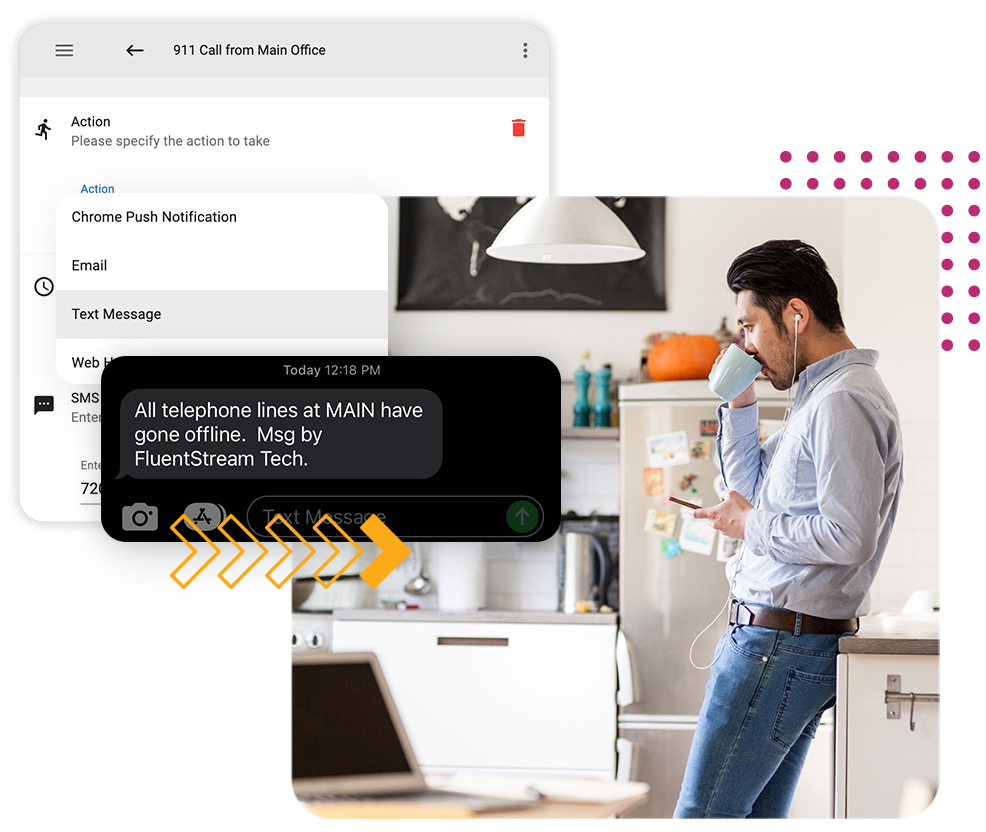
  • Service Outage NotificationReceive a notification when servers are down and work with our client experience team to avoid interfering with business hours.
  • Site Offline DetectionAutomatically alerts you and switches to emergency routing when your phones at a location are down.

  • Emergency Routing
  • e911Should an emergency happen, e911 associates your device with a physical location to guarantee that emergency calls are directed to the appropriate Public Safety Access Point and routed to the necessary emergency services.
  • Service Outage NotificationReceive a notification when servers are down and work with our client experience team to avoid interfering with business hours.
  • Site Offline DetectionAutomatically alerts you and switches to emergency routing when your phones at a location are down.
Man in his kitchen using earbuds and looking at his phone while drinking a cup of coffee.
Yellow star icon for key business communication feature

Cloud Storage

Store and retrieve call recordings, voicemails, faxes, and transcriptions securely in the cloud. FluentStream's cloud storage communication features make compliance, training, and follow-up effortless.
  • Call Recording Storage
  • Voicemail Archiving
  • Fax Storage
  • Searchable Transcriptions
  • Secure, Encrypted Storage

  • Call Recording Storage
  • Voicemail Archiving
  • Fax Storage
  • Searchable Transcriptions
  • Secure, Encrypted Storage
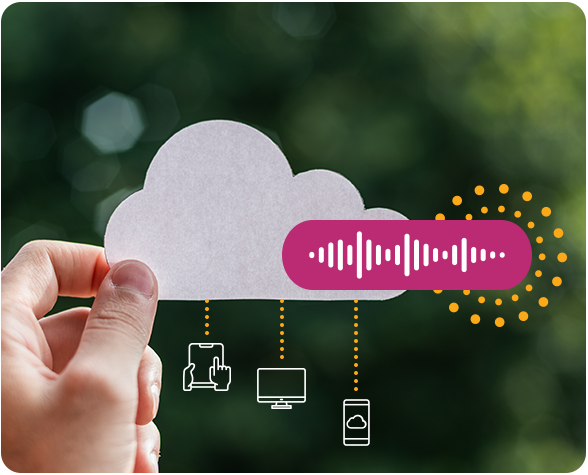
Someone holding a cloud made out of paper with various icons for communication features hanging from it

Communication Features from a Phone System You Can Count On
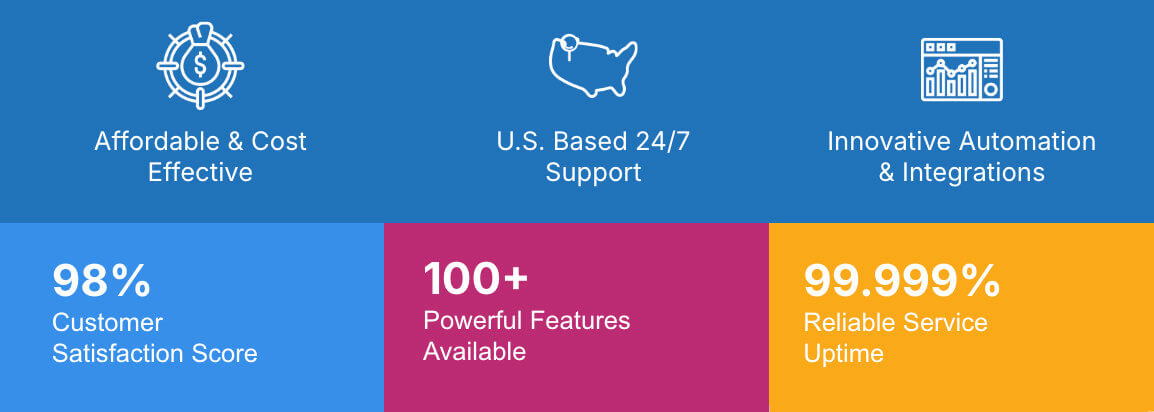
Graphic showing FluentStream's business communication features with 99.999% reliable service uptime, 100+ powerful features available and 98% customer satisfaction score

Let’s talk about the features that fit your business