Update: Live Queue Manager
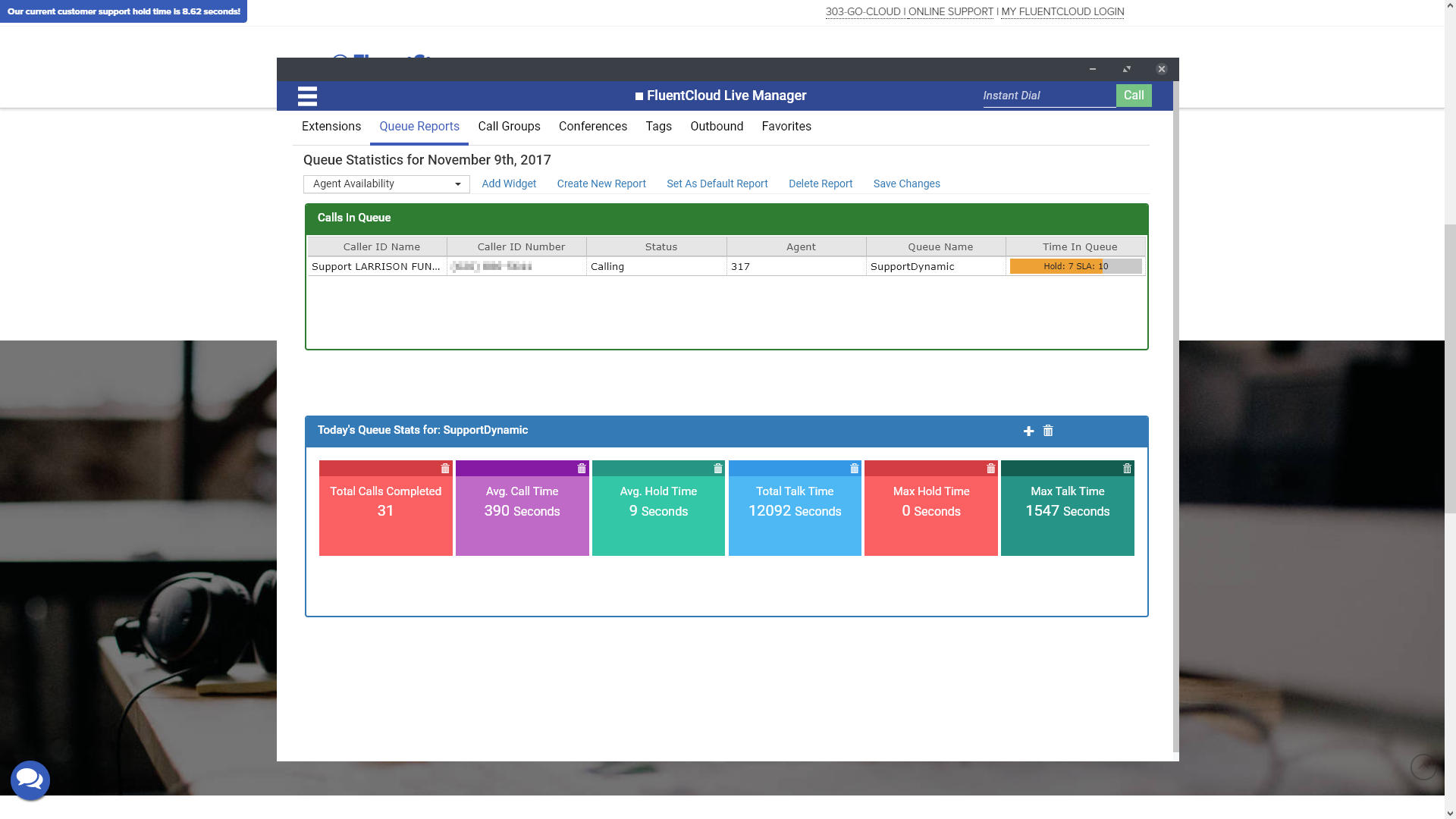
Live Queue Manager is a new feature we’re introducing to our Chrome app: Live Manager. This update introduces a new visual grid and tile system that helps you keep track of your queue events.
If you don’t already have Live Manager you can get it from the Chrome Store.
There are a couple of options when it comes to displaying what you want to see. By adding widgets to your reports you can easily arrange queue data so that it’s available at a glance.

How Live Queue Manager Helps You
This new update makes it easier for managers to you keep track of and get up to date information on all queues in the system. You can see averages, min, max, and totals for just about anything in your queue system. If you want to see stats on departments, you can set up a grid just for them. Just be sure to set up a queue for them in my My FluentCloud Web Portal first.
In addition to the default tiles which show up in the widget, you also have access to a lot more tiles you can add as tiles. From abandoned callers to current live callers in a queue. The display and information options are there for you to decide what to do with them.
This is all in addition to the stellar real-time agent information and management features already included in the FluentCloud Live Manager Chrome app.
Related Posts